ACL Migration Checker

ACL Migration Checker

Automatically verify access control list (ACL) differences during file server migrations. A portable tool you can carry on a USB drive.

Download on GitHub

*No installation required. Runs as a portable app.

No installation required, portable design

ACL Migration Checker is designed to be portable, allowing you to carry it on a USB flash drive or other removable media.

It requires no additional installations such as the .NET runtime. Simply place the downloaded folder anywhere, and you can immediately launch and use it on various PCs. To uninstall, just delete the entire folder.

Product Overview

"An access rights verification tool for reliable data migration."

ACL Migration Checker is a dedicated tool to verify if there are any differences in access control lists (ACLs) between the source and destination during data migrations for file servers or storage servers.

It is highly effective not only for migrations in Active Directory environments but also for verifying the reconfiguration and reassignment of permissions in Workgroup environments where migrating SIDs (Security Identifiers) is difficult.

Key Features

  • Scan and Save ACLs: Retrieves ACL information set on source and destination folders/files and saves it in a lightweight JSON.GZ format.
  • Compare Before and After Migration: Matches the two saved datasets to automatically detect and list missing permissions, excessive privileges, and mismatched accounts.
  • CSV Export: Output comparison results in CSV format. Ideal for creating post-migration reports or checklists for corrections.
  • Multilingual Support (EN/JA): Automatically switches the interface language based on your OS language settings, ensuring smooth operation across various environments.

Screenshots

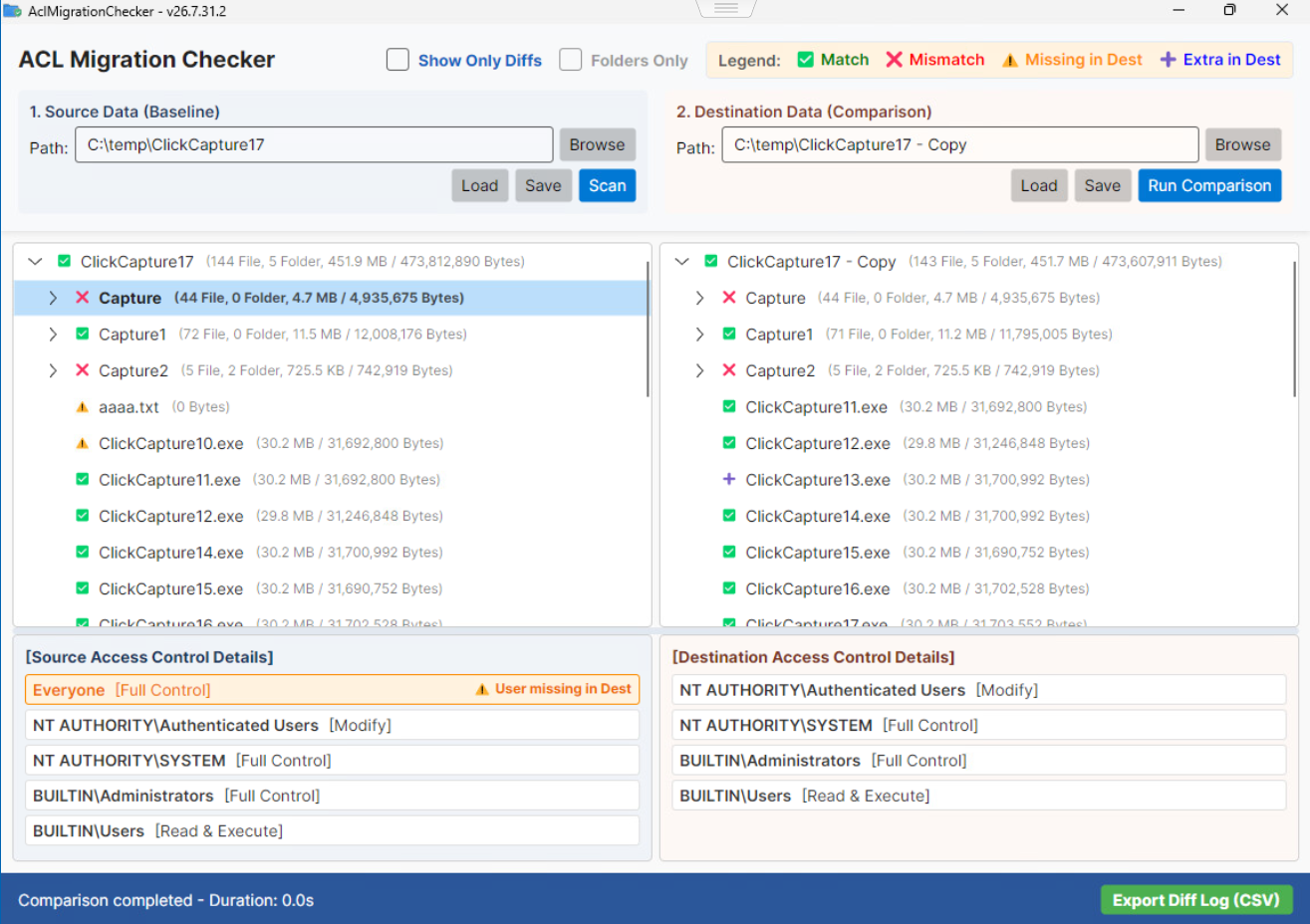
ACL Migration Checker Scan Screen

Scan & Save Feature

Specify the target path to acquire and save access rights information.

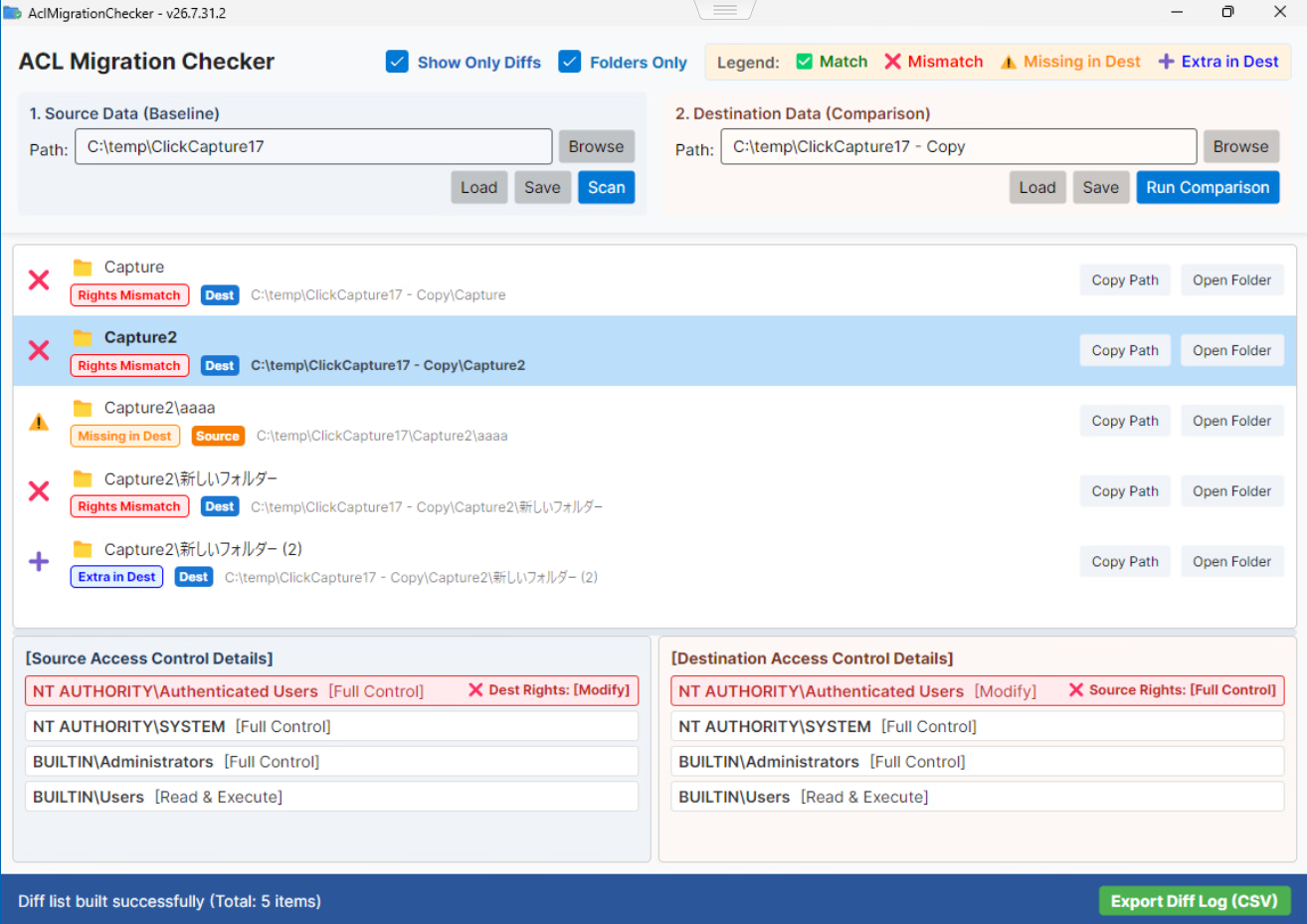
ACL Migration Checker Comparison Result Screen

Difference Comparison & Listing

Load the acquired data to automatically detect and display the differences before and after migration.

How to Use

01

Acquire ACL Info

Run this software in both the source and destination environments to scan and save access rights information.

02

Compare Data

Load the saved source and destination data to execute the comparison process.

03

Check Differences & CSV Export

Check the detected differences on the screen. Export the results in CSV format if necessary.

Changelog

  • v26.7.31.2 Jul 31, 2026
    Initial release.

Download

Standard Edition

FREE

Get it on GitHub

Freeware (Personal & Commercial)

Redistribution Prohibited

Commercial Use Allowed

External Libraries

  • Avalonia UI Framework
  • CommunityToolkit.Mvvm
  • System.IO.FileSystem.AccessControl

System Requirements

OSWindows 10 / 11
ServerWindows Server 2016+
RuntimeNone (Portable)