
ClickCapture
A zero-install, portable alternative to Windows PSR
Download for Free
*Fully functional with no limits as the Free Edition (for personal use).
A zero-install, portable alternative to Windows PSR
*Fully functional with no limits as the Free Edition (for personal use).
Stop wasting hours organizing screenshots and writing guides manually. Combine ClickCapture with your favorite AI assistant to automate your entire documentation pipeline:
"Everything you need, captured just by clicking."
ClickCapture is a lightweight utility that automatically captures screenshots in sync with your left-clicks and drag operations. Designed as a modern, zero-install alternative to the deprecated Windows Problem Steps Recorder (PSR), it is built to log software setup flows and installer parameters effortlessly. Fully portable, it runs as a single executable directly from a USB drive on any machine—leaving zero trace and requiring no installation.
Automatically saves the target window or entire screen as an image every time you click.
By dragging while holding down the Ctrl key, you can cut out and capture any rectangular area.
Intelligently skips saving if the screen remains unchanged, preventing your folders from overflowing with identical images.
If you no longer need to capture during your work, simply press the assigned hotkey to instantly toggle the capture feature ON or OFF.
(Default is "F9", "F8" is also available)
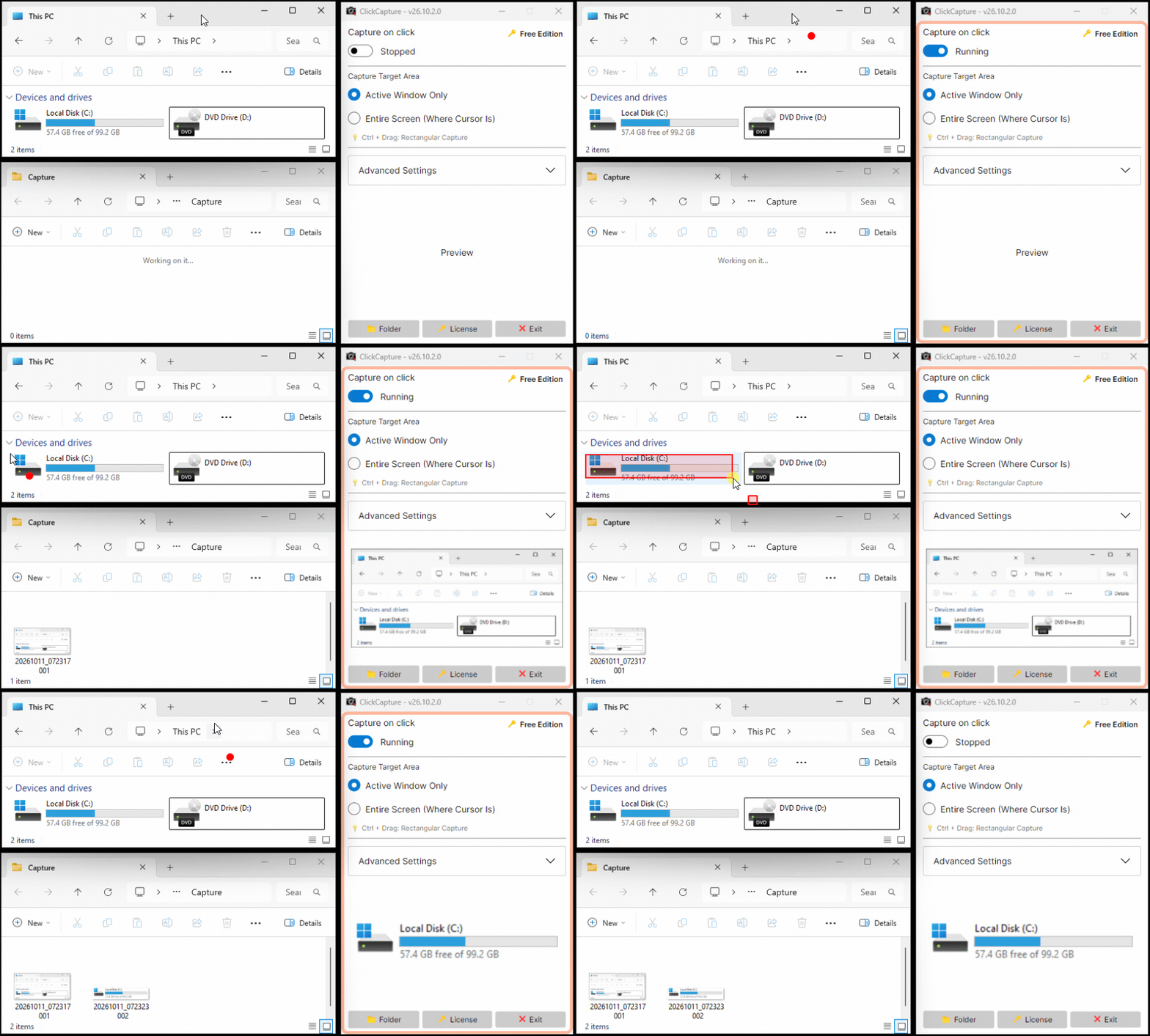
Live demo: Click to capture and auto-save directly to folder
ClickCapture is available in two editions: "Free Edition" and "Pro Edition". Both editions offer identical features.
| Category / Feature | Free Edition | Pro Edition |
|---|---|---|
| Left-click synced capture | ||
| Rectangular area capture (Ctrl+Drag) | ||
| Smart duplicate filtering | ||
| Auto clipboard transfer | ||
| Hotkey (F8/F9) toggle | ||
| Licensing & Pricing | ||
| Business & Corporate Use (Including domain environments) |
Restricted (Not allowed) |
Unrestricted (Commercial use OK) |
| License Activation | Not required | Required |
| Price | Free | From 500 JPY/month (approx. $3.30 USD / month) |
A single Pro Edition license can be used on up to 3 devices.
*If a single license is used on 4 or more devices simultaneously, the system will detect it and automatically revoke (lock) the license. Please take note. For large-scale deployments or team usage, please purchase the required number of licenses.
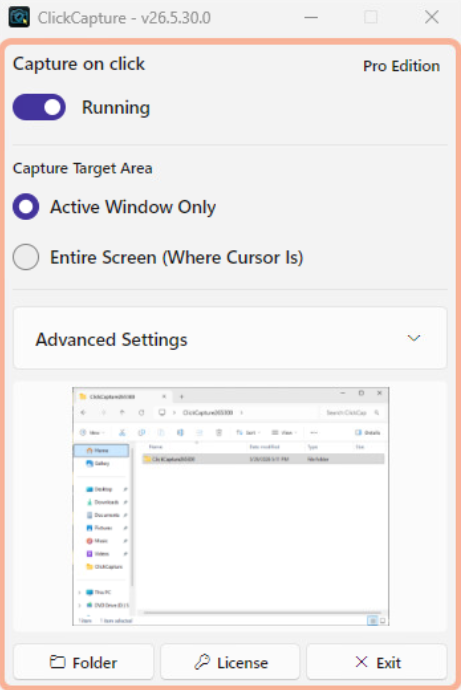
Start captures and configure target area settings.
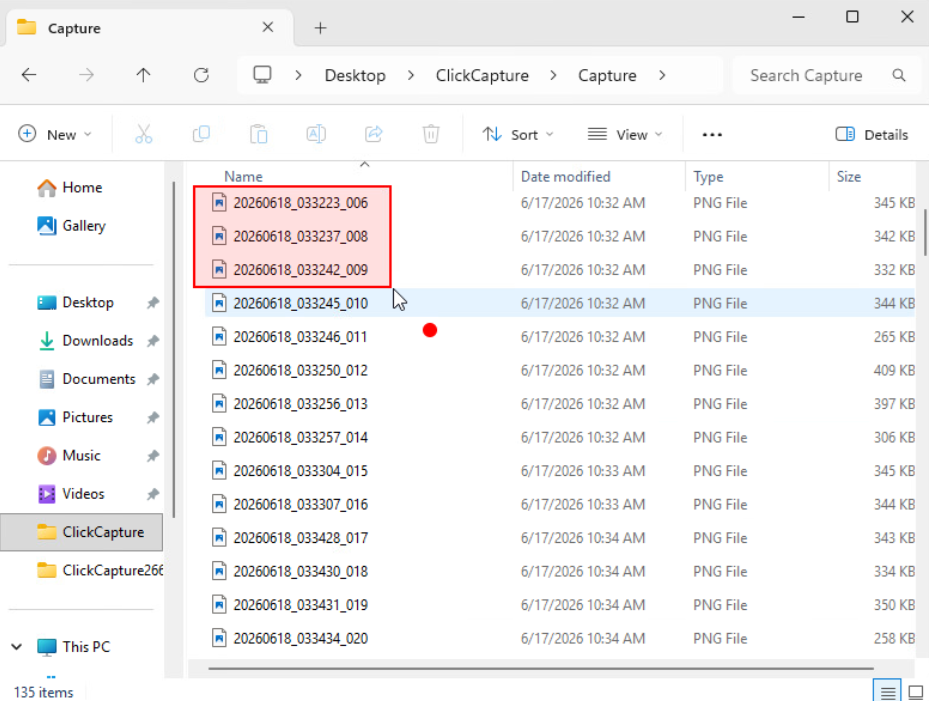
By dragging while holding the Ctrl key, you can cut out and capture only the area within the selected red frame.
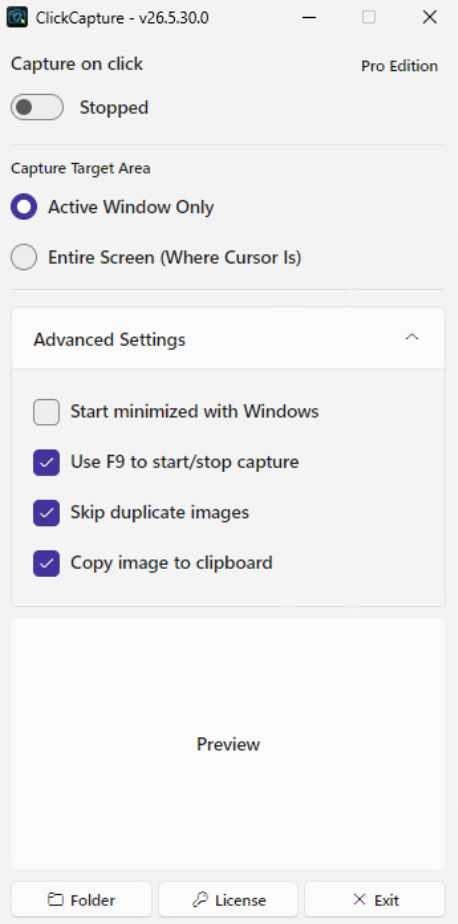
Expand to configure advanced settings.

Newly added multilingual display support allows you to easily switch the UI language to your preference from the settings menu.

Full UI display support is available for a total of 19 languages to best match your system environment.
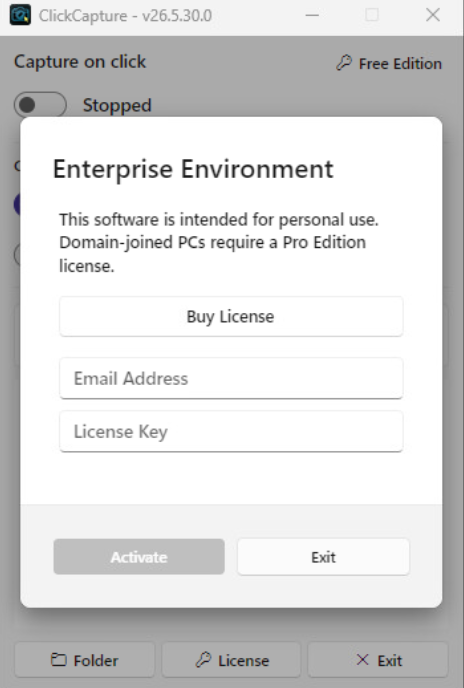
A Pro license is required when running on domain-joined PCs.
Runs quietly in the system tray in the background upon Windows startup (configurable).
Images are saved automatically just by left-clicking while the capture feature is ON. You can also capture a rectangular area by dragging while holding the Ctrl key.
Files are sequentially saved by date in the "Capture" folder located next to the executable.
A. Please check if the "Skip duplicate images" setting is enabled.
When active, the app intelligently skips saving if the screen content has not changed since the last capture to prevent duplicate files. Try disabling this setting temporarily to verify if it captures normally.
A. This is necessary to monitor click interactions globally across other applications (Global Hook).
Due to Windows security specifications, standard low-privilege apps cannot accurately monitor inputs of other apps, making admin access essential to fully utilize this tool.
A. Yes, it is completely safe. Because ClickCapture is lightweight indie software without an expensive EV code-signing certificate, Windows SmartScreen shows this standard warning for new executables.
To start the application, click "More info" and then select "Run anyway".
A. Because the application utilizes techniques to monitor mouse operations (hooks), certain antivirus programs may incorrectly flag it as a false positive.
If you are running the software in a trusted environment, please add the application to your security software's exclusion list.
A. This issue can happen if your Windows "Display Scale" (DPI scaling) is configured to a value other than 100% (e.g., 125% or 150%).
If you have changed your display scaling settings, please close the app and restart it to apply the correct scaling.
A. If the "Copy image to clipboard" setting is enabled, the clipboard contents are instantly overwritten by the captured image the moment you left-click. This causes the file paste operation to be canceled.
If you frequently copy and paste files, please try one of the following solutions:
Free for personal use. Enjoy all features at no cost with the Free Edition.
Download from GitHubTrusted & Featured On


A Pro Edition license is required for use in enterprise environments (domain-joined PCs).
Up to 3 devices per license. If exceeded, the license will be automatically revoked.
No charge for the first month
Cancel anytime during the trial
Includes commercial use & latest updates
*Base price is charged in JPY. Final checkout amount in USD or local currency is converted automatically based on current exchange rates.
| OS | Windows 11 Windows Server 2025 |
|---|---|
| Arch | 64-bit (x64) |
| Runtime | None |
Truly portable. Runs as a single executable directly from a USB drive with zero installation or registry changes.