
Ohnuki-san Plus
Instantly consolidate system info. The ultimate information utility for engineers.
Start 1-Month Free Trial
*Cancel anytime during the trial period
Instantly consolidate system info. The ultimate information utility for engineers.
*Cancel anytime during the trial period
"Zero commands. Just launch to aggregate deep PC insights instantly."
Ohnuki-san Plus is a Windows system information extraction and management tool developed to streamline IT asset management and device kitting operations.
Accurately retrieve BIOS serials, chassis numbers, UUIDs, and more. Eliminate human error from manual entry.
Information is listed automatically upon startup. High-speed operation designed to keep field work moving.
Zero complex setup required. Dramatically improve efficiency for IT inventory auditing and kitting verification.
| Category / Feature | Lite (Free) | Plus (Pro) |
|---|---|---|
| Basic Diagnostics | ||
| Core System Specifications (CPU, RAM, OS Build, etc.) |
||
| Software Inventory (List of installed applications) |
||
| Windows Update History | ||
| HTML Report Generation | ||
| Network & Infrastructure | ||
| Basic IP Configuration (IP Address, DNS, etc.) |
||
| Corporate Proxy Discovery | ||
| Routing Table Analysis (Static Route extraction) |
||
| Active Directory Topology | ||
| Advanced Analysis & Server Management | ||
| Windows Services Inventory (Running services & status) |
||
| PnP Device Inventory (Full hardware peripherals list) |
||
| Server Roles & Features (For Windows Server environments) |
||
| Licensing & Pricing | ||
| Business & Corporate Use (Including domain environments) |
Allowed | Recommended |
| License Activation | Not required | Required |
| Price | Free | From 500 JPY/month (approx. $3.30 USD / month) |
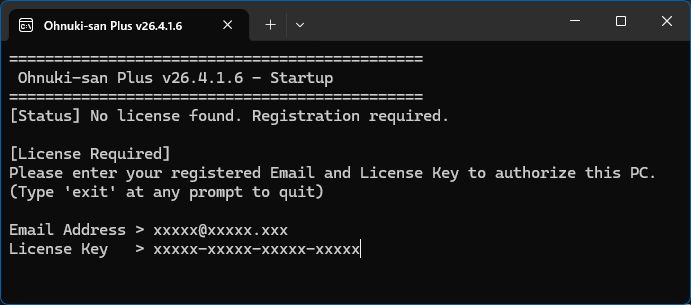
Enter your email and license key on the first launch.
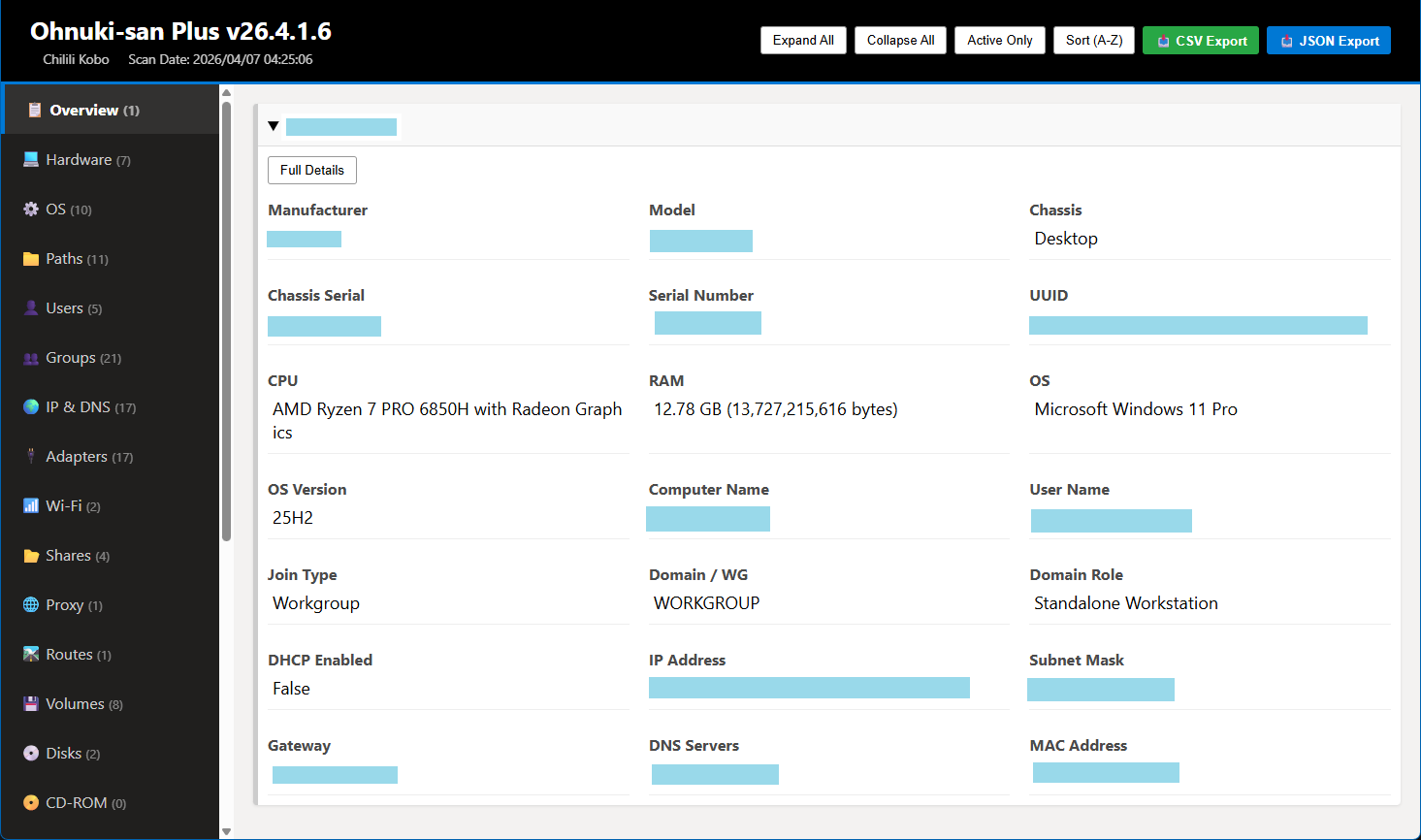
Detailed reports automatically open in your browser after completion.
Unzip the files and run the executable.
Gathers all deep PC system info instantly upon startup.
A report is auto-generated and opens in your browser.
No complex steps. A seamless experience from execution to report viewing.
Ohnuki-san Plus features a "Slave Mode" designed for flexible field operations.
With a single license, you can use the software on offline "Slave" devices in addition to your primary "Master" machine.
No charges for the first month
Cancel anytime during the trial
Includes commercial use & latest updates
*Base price is charged in JPY. Final checkout amount in USD or local currency is converted automatically based on current exchange rates.
| OS | Windows 10 / 11 |
|---|---|
| Arch | 64-bit (x64) |
| Runtime | Not Required (Standalone) |
Portable. Runs as a single executable without installation.