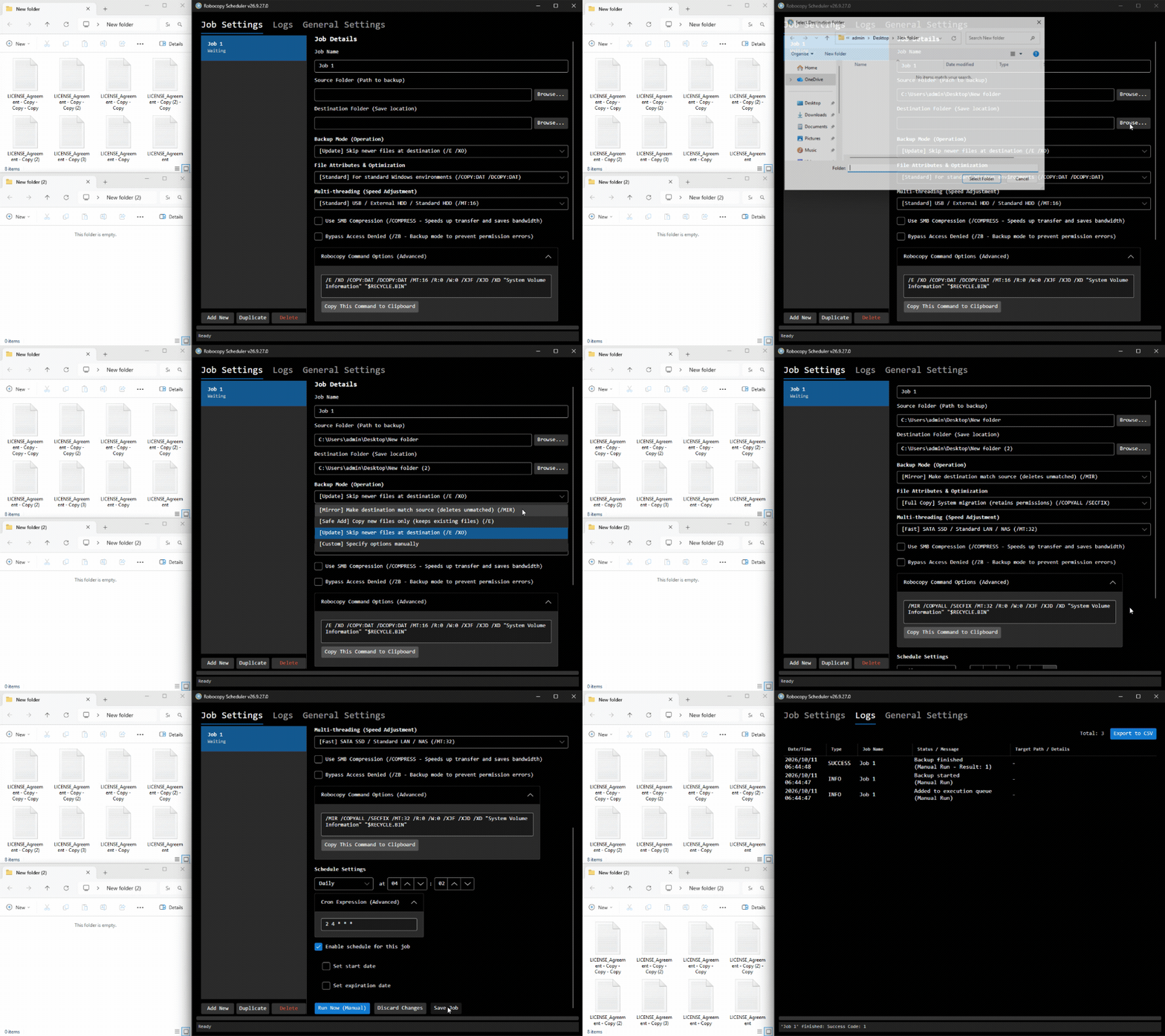
Intuitive GUI for Robocopy. Realize safe and reliable automated backups.
*Fully functional with no limits as the Free Edition (for personal use or non-managed devices).
"Powerful Robocopy features with simple GUI and automation for everyone."
Robocopy Scheduler is an intuitive GUI frontend and scheduling management tool designed to automate and simplify Windows standard "Robocopy" command tasks. Without remembering complex command-line arguments, you can easily configure advanced file transfer settings and run automated background backups.
Easily configure backup modes such as Mirror (/MIR), Safe Add (/E), or Update (/E /XO), as well as multi-threading, SMB compression (/COMPRESS), and bypassing access denial (/ZB) with just a few clicks.
Supports Daily, Hourly, Weekly, Monthly, and advanced Custom (Cron) schedule expressions for reliable background execution.
Blocks system sleep while waiting for schedules and supports background startup on Windows boot.
Automatically sends backup results to Slack Webhook or ntfy.sh. Displays execution history and error details in real-time with CSV export capability.
Robocopy Scheduler is available in two editions: "Free Edition" and "Pro Edition". All features are completely free to use in personal environments or on unmanaged devices.
| Category / Feature | Free Edition | Pro Edition |
|---|---|---|
| Intuitive GUI setup & command generation (/MIR, /ZB, etc.) | ||
| Manual execution (Run Now) | ||
| Log management, error detection & CSV export | ||
| External notifications (Slack Webhook / ntfy.sh) | ||
| Sleep prevention & background residency | ||
| Automated scheduling in corporate environments (Domain-joined / Entra ID) |
Restricted (Manual execution only) |
Unrestricted (Automated execution available) |
| Licensing & Pricing | ||
| Personal & Non-managed Device Use | Fully available | Fully available |
| Business & Corporate Use (Including domain environments) |
Restricted (Manual execution only) |
Unrestricted (Commercial use OK) |
| License Activation | Not required | Required |
| Price | Free | From 500 JPY/month |
A single Pro Edition license can be used on up to 3 devices.
*If a single license is used on 4 or more devices simultaneously, the system will detect it and automatically revoke (lock) the license. Please take note. For large-scale deployments or team usage, please purchase the required number of licenses.
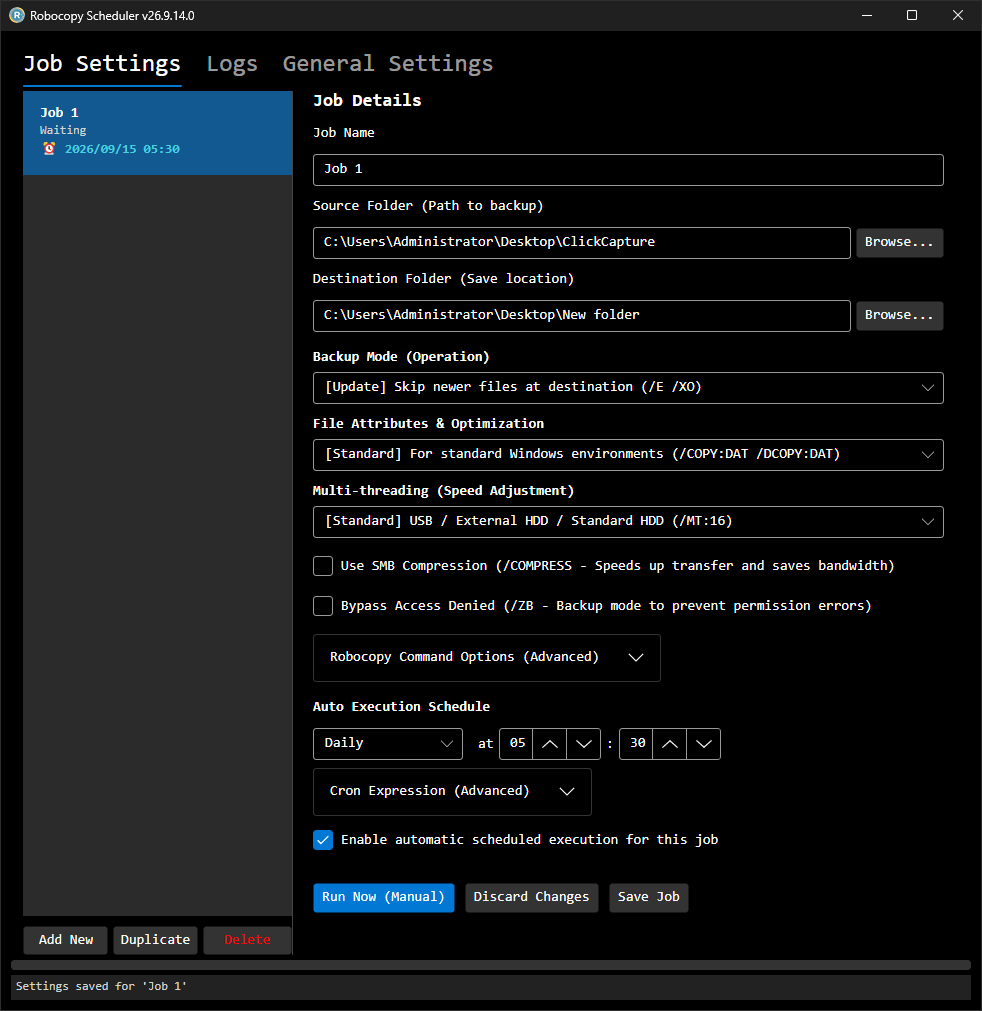
Specify source and destination paths, backup modes (e.g., /MIR, /E), and configure automated schedules.
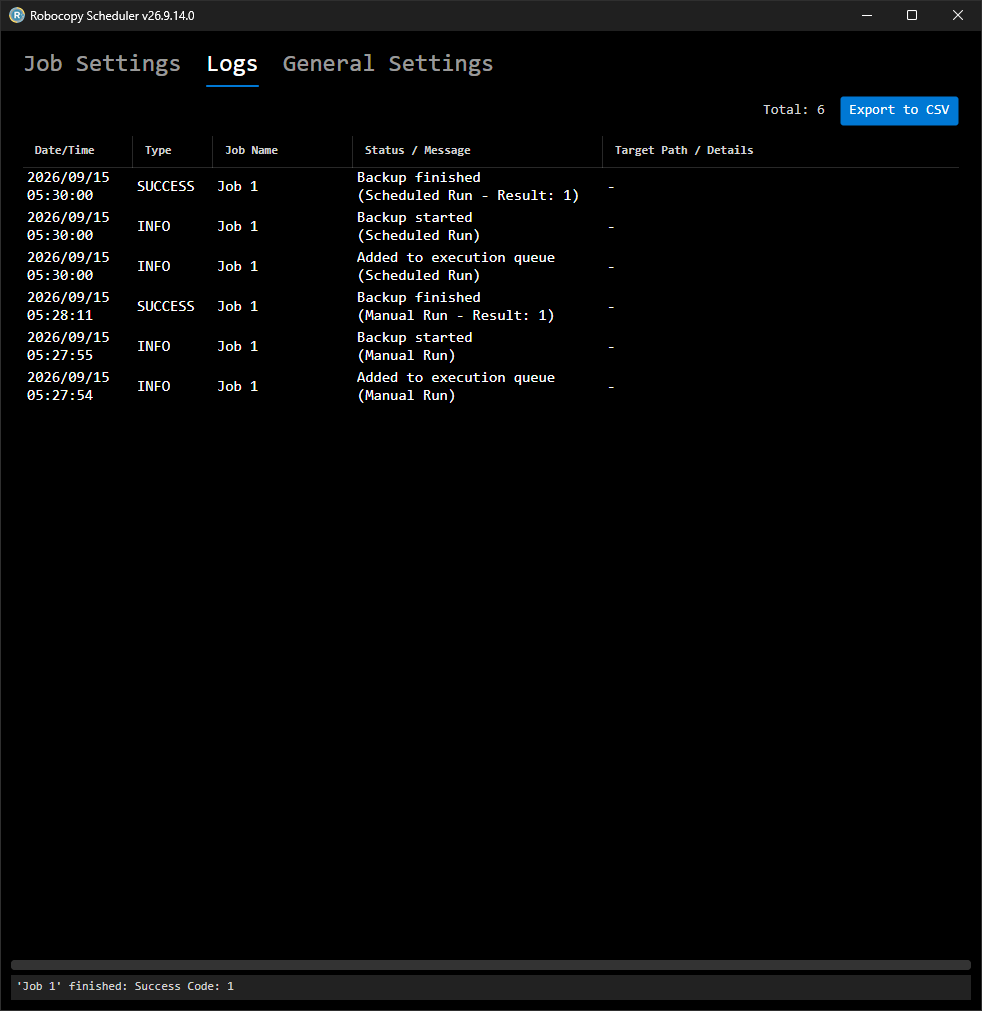
Displays execution history and error details in real-time. Supports CSV export of log data.
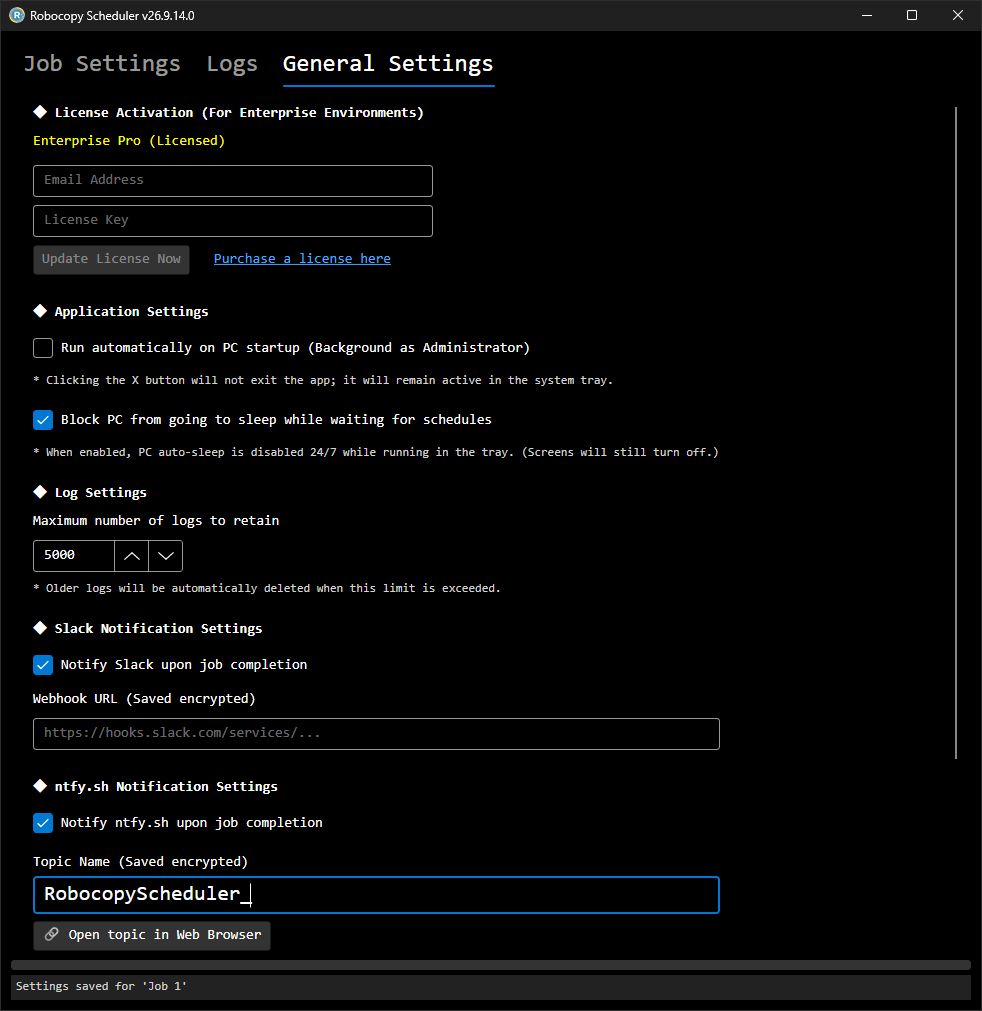
Configure auto-startup, sleep prevention, and external notifications via Slack Webhook or ntfy.sh.
Click "Add New" to create a job, then specify the Source and Destination folder paths.
Select your desired Backup Mode (Mirror, Safe Add, etc.) and execution frequency (Daily, Cron, etc.).
Check "Enable automatic scheduled execution for this job" and click "Save Job". It will run automatically in the background, and you can review the results in the Logs tab.
A. To use the scheduled automatic execution feature in corporate environments such as domain-joined PCs or Entra ID (Azure AD) environments, a Pro Edition subscription (license activation) is required.
However, you can still use the "Run Now" button for manual backups without restriction even in the Free Edition.
A. No, it is not required.
This application is a portable app compiled as a standalone executable using .NET 10 (Native AOT). It runs standalone without requiring any external runtime installations. It also does not use the Windows Registry.
A. You can prevent unintended sleep while waiting for a backup by enabling "Block PC from going to sleep while waiting for schedules" in the "General Settings" tab.
A. The Robocopy exit code is a bitmask. This application treats "0 to 7" as Successful (including normal file copies, no changes, and warnings like extra files in the destination). If an exit code of "8 or higher" (indicating some copy failures or fatal errors) occurs, it is evaluated and notified as an error.
A. Yes. By configuring a Slack Webhook URL or an ntfy.sh Topic Name in the "General Settings" tab, you can automatically send backup execution results and error notifications to your chat tools or smartphone.
Free for personal use. Enjoy all features at no cost with the Free Edition on unmanaged devices.
Download from GitHubA Pro Edition license is required for automated scheduled execution in enterprise environments (domain-joined PCs).
Up to 3 devices per license. If exceeded, the license will be automatically revoked.
No charge for the first month
Cancel anytime during the trial
Includes commercial use & latest updates
| OS | Windows 10 / Windows 11 Windows Server 2016 / 2019 / 2022 / 2025 |
|---|---|
| Arch | 64-bit (x64) |
| Runtime | None (.NET 10 Native AOT) |
No installation required. Runs as a single, standalone executable without using the registry.